ERP e-commerce integration: TURNING PROCESSES INTO A SMOOTH OPERATION
The online shop is only the part customers see. Behind every order, stock has to be accurate, payments matched, invoices created and shipping prepared – often across four different tools. This article looks at how ERP integration ties those processes together, which data moves in each direction, and what it looks like in practice with Microsoft Dynamics 365 Business Central. (Ad)
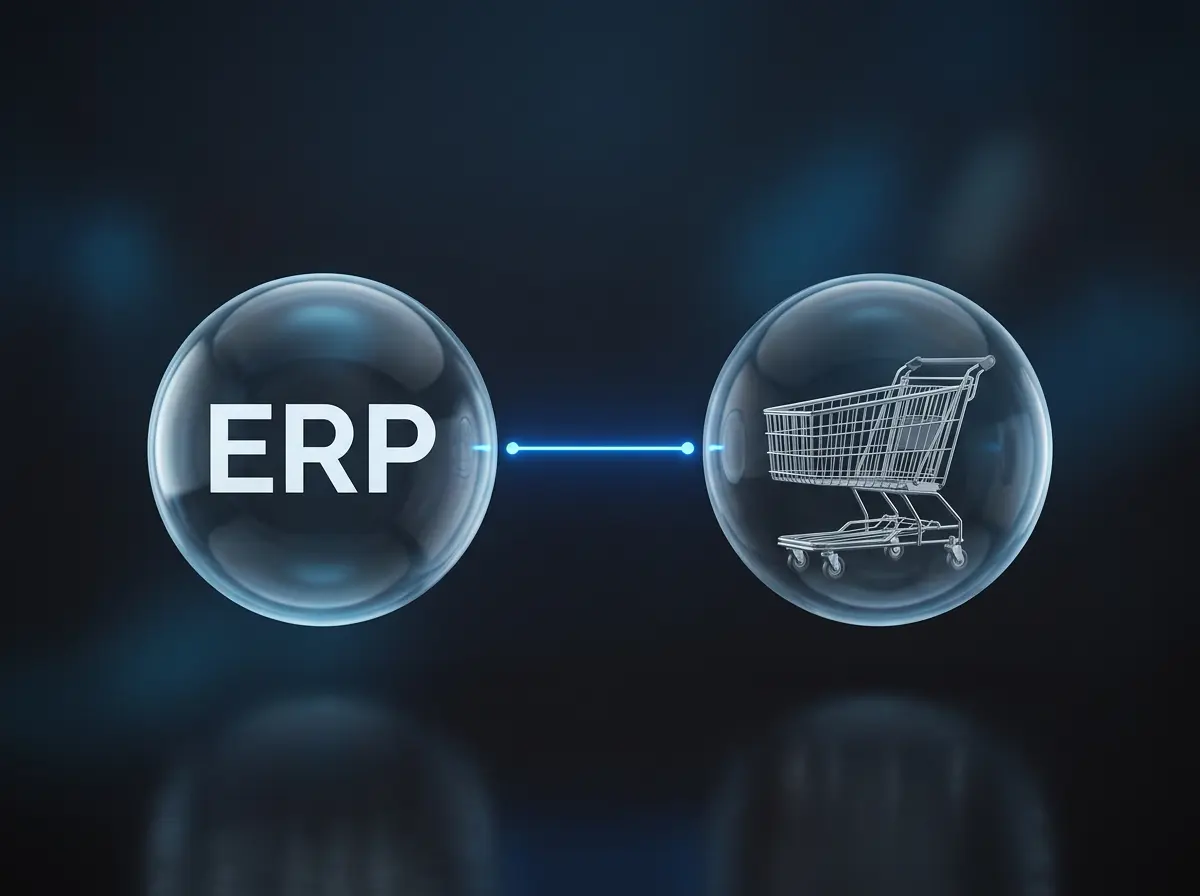
In short: an ERP e-commerce integration connects the online shop with the ERP system behind it, so orders, inventory, payments, and shipping all work from the same current data. This article explains how that integration works, which data is exchanged, and what it looks like in practice with Microsoft Dynamics 365 Business Central.
Author: Tobias Göhl
The online shop is only the part customers see.
Behind every order, a number of processes have to come together. Stock needs to be accurate, payments matched, invoices created, shipping prepared, and product data kept up to date. At low order volumes, much of this can still be handled manually.
As the business grows, that becomes harder to sustain.
The same information often ends up in several places. The shop holds the order, a payment provider holds the transaction status, warehouse data may sit in another system, and shipping is handled through a carrier portal. Staff start copying data between tools, checking spreadsheets, and correcting information that is already out of date.
The online shop itself is rarely the problem. The challenge is everything that has to happen behind it.
Growing e-commerce businesses therefore need a reliable way to connect these processes. Orders, stock, accounting, payments, purchasing, and shipping should work with the same current information instead of being managed in isolation.
That is the role of a central business system: to provide a shared foundation for the processes behind the shop and reduce the number of manual handovers between them.
What an ERP system does in e-commerce
The central business system described above is commonly known as an ERP system, short for Enterprise Resource Planning. Its purpose is to bring key business processes and data together in one place and provide a reliable foundation for day-to-day operations.
Instead of managing orders, inventory, accounting, purchasing, production, and reporting in separate tools, an ERP system allows these areas to work with the same up-to-date information.
In e-commerce, this matters because a single customer order can trigger several processes across the business. Once an order is placed, the ERP system can update inventory, provide the necessary information for accounting, initiate warehouse and shipping processes, and send the current status back to the online shop.
The online shop remains the customer-facing sales channel, while the ERP system coordinates much of what happens behind it. This improves transparency, reduces manual data transfers, and helps prevent inconsistent records (Erturk & Arora, 2017; Lu, 2015).

Common problems when shop and ERP are not connected
Many small and medium-sized businesses start with separate tools because they are easy to introduce and solve specific problems quickly. As the business grows, however, more products, orders, sales channels, warehouses, and customer-specific requirements have to be managed. The same information then starts appearing in several systems.
- An order is exported from the shop and entered again in accounting or the ERP system.
- Inventory updates reach the shop too late, which can lead to overselling or unnecessary cancellations.
- Payment confirmations have to be checked and assigned manually.
- Shipping labels and tracking numbers are created in carrier portals and then copied back into the order.
- Reports are assembled from different spreadsheets and may contain conflicting figures.
These issues do more than create extra work. They make it harder to see the current status of an order, trace the source of an error, or scale operations without adding administrative effort. As a business grows, disconnected systems can become a bottleneck long before the online shop itself reaches its limits.
How ERP-E-Commerce integration works
An ERP-e-commerce integration connects the online shop with the ERP system so that data can move automatically in both directions. Orders, customer information, and payment data can flow from the shop into the ERP system, while product data, prices, stock levels, and shipping information can be sent back to the shop.
How this connection is built depends on the systems involved. Some applications communicate directly with each other; others use an additional integration platform. APIs, native connectors, and middleware are common technical approaches for enabling the exchange (Experlogix, 2024).
Which data is exchanged between shop and ERP system
| Shop → ERP system | ERP system → shop |
|---|---|
| Orders and order lines | Product information and variants |
| Customer and delivery addresses | Prices and customer-specific conditions |
| Payment method and payment status | Inventory and expected availability |
| Discounts, vouchers, and taxes | Shipping status and tracking information |
| Returns or cancellation requests | Invoices, credit notes, and other documents |
The exact scope of an integration depends on the business model and the processes behind it. A company with several warehouses, for example, may need availability to be calculated by location. A B2B shop may require customer-specific prices, payment terms, or documents to be available directly in the customer account.
Defining these requirements before implementation helps avoid gaps in the process and reduces unnecessary custom development.
Why SMEs benefit from introducing ERP early
ERP systems were once mainly associated with large enterprises. Today, cloud-based solutions have made them much more accessible to small and medium-sized enterprises (SMEs), as they require less infrastructure and can be expanded gradually as the business grows (Synerpy, 2024).
Introducing an ERP system early can make future growth easier to manage. Processes and responsibilities can be structured before too many workarounds, spreadsheets, and disconnected tools become part of everyday operations. The longer a company waits, the more difficult a later migration can become, especially when teams have developed their own data structures and routines.
A scalable ERP setup does not mean automating everything from the start. It means creating a foundation that can support more products, warehouses, sales channels, and orders without manual work increasing at the same pace. As order volumes and process complexity grow, a well-integrated ERP system can save considerable time in day-to-day operations and reduce administrative costs.
One customer described the effect of a newly implemented interface this way:
“During the autumn period, we estimate that the interface saved us the workload of around half a full-time position. At the same time, we were operating at full capacity due to increased sales through the new online shop.”
The example highlights an important point: automation does not necessarily reduce the need for employees. In a growing business, it can free up capacity that would otherwise be absorbed by repetitive manual work. That capacity can then support higher order volumes without administrative effort increasing at the same rate.
Consistent financial and order data can also improve cash-flow visibility and support better decision-making (Davenport, 1998; Erturk & Arora, 2017).
The role of Microsoft Dynamics 365 Business Central
Microsoft Dynamics 365 Business Central is an ERP solution for small and medium-sized businesses. It brings together finance, sales, purchasing, inventory, projects, service, and reporting in one system and can be used in the cloud or on-premises.
One of its main strengths is its close connection to the wider Microsoft ecosystem. Business Central works with familiar Microsoft 365 applications such as Outlook, Excel, Word, Teams, and OneDrive, so employees can access and use ERP data in tools that are already part of their daily work.
It also connects with Microsoft Power Platform. Power BI supports reporting and data analysis, Power Automate can automate workflows, and Power Apps can extend existing processes with additional applications. Through Microsoft Dataverse, Business Central can also exchange data with other Dynamics 365 solutions.
This makes Business Central more than a standalone ERP system. It can serve as a central platform for operational and financial data while being extended with Microsoft services, partner applications, and integrations for online shops, payment providers, shipping carriers, and other business systems (Microsoft Learn, 2026a; Microsoft Learn, 2026b).
Business Central is also highly adaptable. Standard functionality can be extended to reflect specific processes and requirements, which makes it suitable for businesses that need more than an off-the-shelf setup.
Practical ERP integration scenarios
The following scenarios show what ERP integration can look like in day-to-day e-commerce operations. Some examples draw on solutions developed by solutioo, an e-commerce agency based in Northern Bavaria, a certified Microsoft partner, and a company with more than 15 years of e-commerce experience and expertise in Microsoft Dynamics 365 Business Central.
They are intended as practical examples of common integration patterns rather than a fixed blueprint for every business.
Online shop connectors
A shop connector links the online shop directly with Business Central and keeps key data synchronized between both systems.
For many e-commerce setups, the shop connector forms the technical foundation of the entire integration, as it keeps the customer-facing shop and the ERP system working with the same current data.
Depending on the setup, this can include orders, customer data, product information, prices, inventory levels, shipping status, and documents. Instead of maintaining the same information in both systems, the data is transferred automatically through a direct API connection.
For Shopware and Magento environments, solutioo provides connectors that integrate the online shop directly with Business Central without additional middleware. The connectors can be extended where standard functionality does not cover specific business requirements.
Payment providers
Payment integrations connect payment requests and confirmations directly with the corresponding order in Business Central.
Online shops usually offer several payment methods through external providers, such as credit card, PayPal, Klarna, or purchase on account. With the right integration, payment links or QR codes can be created from the online shop or ERP system, while payment status updates are assigned automatically.
This reduces manual reconciliation and gives accounting an up-to-date view of payment information without having to compare separate lists or update orders by hand.
Shipping carriers
Shipping integrations can create labels, tracking numbers, and shipment documents directly from an order in Business Central. Status updates can then be sent back to the online shop, giving customers access to current tracking information without staff copying data between carrier portals.
solutioo provides direct integrations for carriers such as DPD, DHL, and GLS without requiring additional middleware. The connectors can also be extended for customer-specific workflows.
The DPD Connector, for example, supports standard and more complex shipping scenarios, including international shipments, customs documentation, hazardous goods, parcel-shop delivery, and returns. Labels, tracking information, and related documents are managed directly in Business Central. The connector covers the full range of DPD shipping services and has been awarded DPD Gold Partner status.
Product, document, and custom functions
ERP data can also be used to extend the online shop beyond order processing.
Customer-specific prices can be maintained centrally and displayed in the storefront, while invoices and other ERP documents can be made available directly in the customer account. Availability can also be calculated by warehouse location or delivery region instead of relying on a single global stock figure.
The same data foundation can support functions tailored to specific business requirements. A PDF generator, for example, can create a structured product overview after a customer or sales representative configures a product. Grouped-product functions can combine items into sets, accessory packages, or bundles so that related or required components are presented together.
solutioo apps in practice
solutioo develops applications and integrations for Microsoft Dynamics 365 Business Central that connect e-commerce, payment, and shipping processes directly with the ERP system.
The portfolio includes integrations for Shopware and Magento, payment providers such as Mollie and VR Pay, and shipping carriers including DPD, DHL, and GLS. Many of these applications are available through Microsoft AppSource and can be extended when standard functionality does not cover a company’s requirements.
The integrations use direct API connections and do not require additional middleware. This keeps the number of systems involved to a minimum and allows data to move directly between Business Central and the connected platform or service.
The apps provide a standard technical foundation for common processes, while additional functions can be added where a workflow requires them. In this way, existing Business Central processes can be extended without introducing a separate standalone solution for every individual requirement.
The focus is not on connecting systems for its own sake, but on keeping the data flow clear and reducing unnecessary manual steps.
Conclusion
A well-integrated ERP system creates a shared foundation for the processes behind an online shop. Orders, inventory, payments, shipping, accounting, and other operational data no longer have to be maintained separately across different tools. Instead, information can move through a connected process and remain up to date across the systems involved.
For growing SMEs, this becomes more important as order volumes, sales channels, warehouses, and customer-specific requirements increase. Introducing ERP structures early can help prevent workarounds and disconnected tools from becoming permanent bottlenecks. Scalable solutions such as Microsoft Dynamics 365 Business Central can then be extended with additional services, applications, and integrations as requirements evolve.
The value of ERP integration lies less in connecting as many systems as possible than in creating reliable processes with fewer manual handovers. Direct integrations, automated data exchange, and a central source of information can save time, reduce administrative effort, and make growth easier to manage.
Ultimately, the best setup is the one that reflects the company’s actual processes and supports them without adding unnecessary complexity.
Frequently asked questions about ERP e-commerce integration
Q: What is ERP e-commerce integration?
A: An ERP e-commerce integration is a connection between an online shop and an ERP system that allows data to move automatically in both directions. Orders, customer data, and payment information flow from the shop into the ERP system, while product data, prices, stock levels, and shipping status are sent back to the shop.
Q: What data is synchronised between an online shop and an ERP system?
A: From the shop: orders and order lines, customer and delivery addresses, payment method and status, discounts and taxes, and returns. From the ERP system: product information and variants, prices and customer-specific conditions, inventory, shipping and tracking status, and documents such as invoices and credit notes.
Q: How do you connect Shopware or Magento to Microsoft Dynamics 365 Business Central?
A; Through a shop connector that links both systems via a direct API connection and keeps orders, customers, product data, prices, inventory, shipping status, and documents synchronised. Standard connector functionality can be extended where a business has requirements that the default setup does not cover.
Q: Is Microsoft Dynamics 365 Business Central suitable for small businesses?
A: Yes. Business Central is designed for small and medium-sized businesses and is available in the cloud, so it requires less infrastructure than traditional ERP systems. Functionality can be added gradually as products, warehouses, sales channels, and order volumes grow.
Q: When should an SME introduce an ERP system?
A: Earlier is usually easier, but the honest answer is that it depends on where the friction is. Once teams have built their own spreadsheets, workarounds, and data structures around disconnected tools, a later migration becomes harder, because those habits have to be unpicked as well as the data. The counterweight is that an ERP introduced before there is anything to organise costs money and attention without returning much.
References
- Archana, M., Varadarajan, V., & Medicherla, S. S. (2022). Study on the ERP Implementation Methodologies on SAP, Oracle NetSuite, and Microsoft Dynamics 365: A Review. Link: https://arxiv.org/abs/2205.02584
- Davenport, T. H. (1998). Putting the Enterprise into the Enterprise System. Harvard Business Review, July–August 1998. Link: https://hbr.org/1998/07/putting-the-enterprise-into-the-enterprise-system
- Erturk, E., & Arora, J. K. (2017). An Exploratory Study on the Implementation and Adoption of ERP Solutions for Businesses. Link: https://arxiv.org/abs/1701.08329
- Experlogix. The 7 Ways an Ecommerce and ERP Integration Will Help Give You a Competitive Edge. Link: https://experlogix.com/ecommerce-erp-competitive-edge/
- Haufe X360. ERP – Vorteile, Funktionen & Kosten eines ERP erklärt. Link: https://www.haufe-x360.de/erp
- Lu, J. (2015). ERP and E-Commerce Association Study. International Conference on Education, Management and Information Technology. DOI: 10.2991/icemit-15.2015.136. Link: https://www.researchgate.net/publication/301420187_ERP_and_E-Commerce_Association_Study
- Nguyen, Q. V., Tate, M., Calvert, P., & Aubert, B. (2015). Leveraging ERP Implementation to Create Intellectual Capital: The Role of Organizational Learning Capability. Link: https://aisel.aisnet.org/acis2015/43/
- SYNERPY (2024). ERP Statistics 2024 – The most interesting statistics. Link: https://www.synerpy.com/cm/en/blog/erp-statistics-2024-the-most-interesting-statistics/
- Microsoft. Dynamics 365 Business Central – Documentation / Product Information. Link: https://learn.microsoft.com/en-us/dynamics365/business-central/
- solutioo. Business Central Apps & Integrationen für E-Commerce. Link: https://www.solutioo.de/
- Microsoft Learn (2026a). Business Central integrations overview. Link: https://learn.microsoft.com/en-us/dynamics365/business-central/integration-overview
- Microsoft Learn (2026b). Integrate Business Central with Microsoft Power Platform. Link: https://learn.microsoft.com/en-us/dynamics365/business-central/powerplatform-integration-overview
- Microsoft Learn (2024). Integrating Business Central with Microsoft Dataverse. Link: https://learn.microsoft.com/en-us/dynamics365/business-central/dev-itpro/developer/dataverse-integration-overview